Power Apps Mobile

What Is Microsoft Power Apps Mobile?

Microsoft Power Apps Mobile is a component of the broader Microsoft Power Apps platform that enables users to create and deploy custom mobile applications. It allows individuals and organizations to design and develop mobile apps without extensive coding knowledge, using a visual interface and pre-built templates.


Power Apps Mobile provides a way to build responsive and platform-agnostic applications that can run on various devices, including smartphones and tablets. These apps can integrate with data sources such as databases, SharePoint, Microsoft 365, and more. Users can design the app's user interface, add functionalities like forms, galleries, and buttons, and define interactions and workflows.


Once created, Power Apps Mobile apps can be distributed and accessed through the Power Apps mobile app, available on iOS and Android platforms. This allows users to access and interact with the custom applications from their mobile devices, providing a convenient and efficient way to manage tasks, processes, and data on the go.


Microsoft Power Apps Mobile enables organizations to empower their workforce with tailored mobile solutions, streamline operations, and improve productivity by giving users access to custom applications wherever they are.

Find All Your Apps In One Page

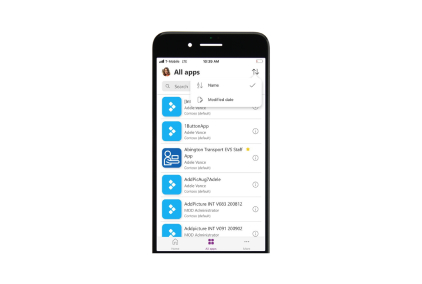
Microsoft Power Apps Mobile simplifies app management by offering a centralized hub where users can find all their created and shared apps in one place. Through the Power Apps mobile app, users can easily access a unified dashboard displaying a comprehensive list of the apps they have developed or have been shared with them. This convenient feature eliminates the need to navigate through various interfaces or remember individual app locations.

Turn On The New Experience Now!

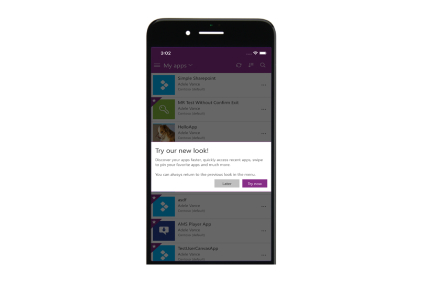
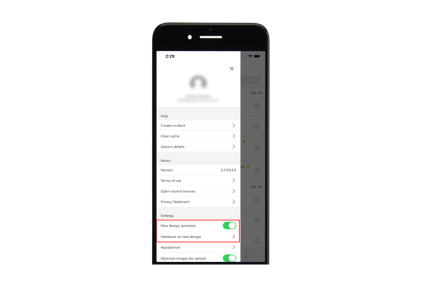
Embrace the enhanced capabilities of Microsoft Power Apps Mobile by turning on the new experience today. With the latest updates, users can enjoy a refreshed and intuitive interface, designed to optimize usability and streamline app navigation. The new experience offers improved performance, responsive design, and a seamless transition between portrait and landscape modes, ensuring a consistent and engaging user experience across devices.

We Want To Hear Your Thoughts

Microsoft Power Apps Mobile values user feedback and wants to hear your thoughts to continually enhance your experience. By actively engaging with users and soliciting their input, the platform aims to refine its features, functionality, and user interface. This collaborative approach ensures that Power Apps Mobile remains user-centric and aligns with the evolving needs of its user community.

For More Information Talk To An Expert From ITIS Global

Dark Or Light Mode

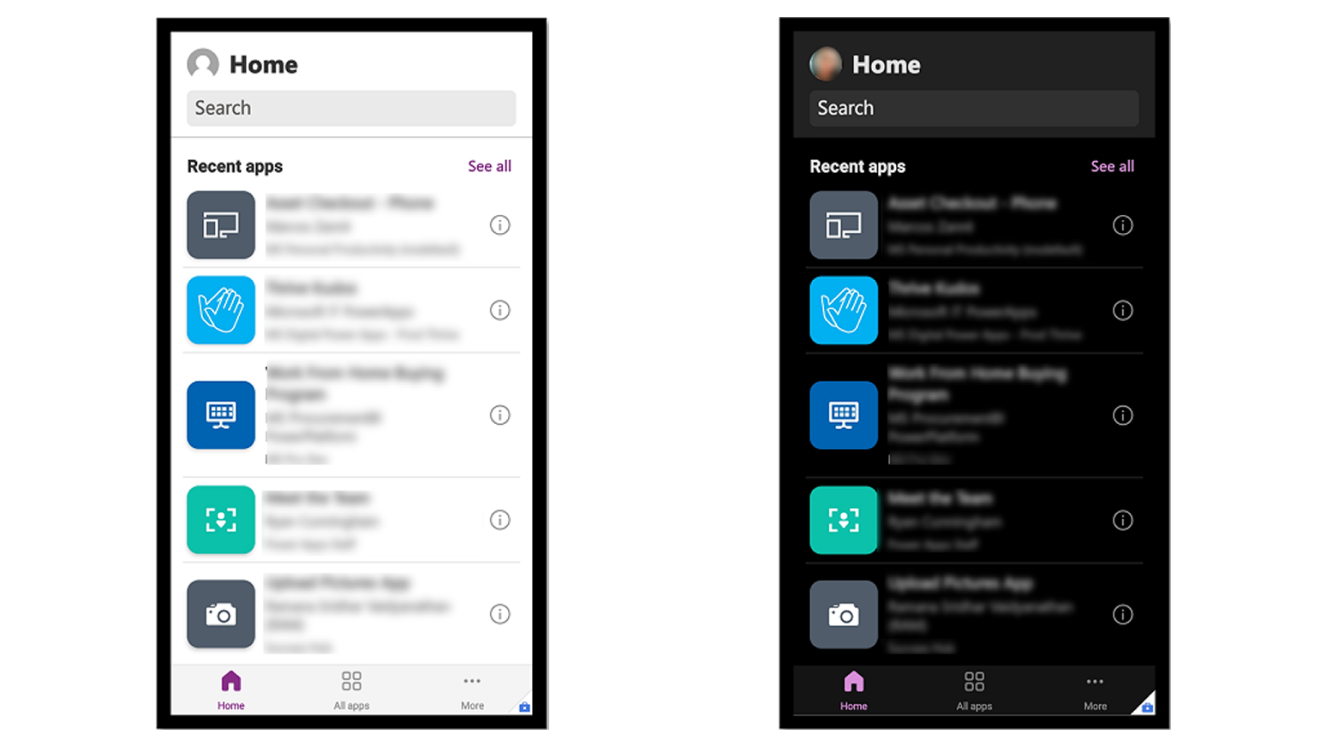
Microsoft Power Apps Mobile offers the convenience of choice with its Dark and Light mode options. Users can seamlessly switch between these modes, selecting the one that suits their preferences and environment. Dark mode provides a visually pleasing and comfortable experience in low-light settings, reducing eye strain and enhancing readability. On the other hand, Light mode offers a clean and familiar interface that aligns with traditional app design. By allowing users to personalize their app appearance.