Managed Environments

What Are Microsoft Managed Environments?

Microsoft Managed Environments is a new feature that aims to simplify and streamline the administration of the Power Platform, a low-code development platform that enables users to create apps, workflows, chatbots, and dashboards. With Managed Environments, admins can apply policies and settings to any type of environment, such as production, sandbox, or trial, and monitor the health and performance of their low-code assets.


Managed Environments also provides admins with more insights and visibility into the usage and impact of the Power Platform across their organization. Admins can view reports and dashboards that show the adoption, quality, and governance of their low-code solutions. They can also use alerts and notifications to proactively manage issues and risks. Managed Environments is currently in preview and can be enabled or edited in the Power Platform admin center.

Usage Insights

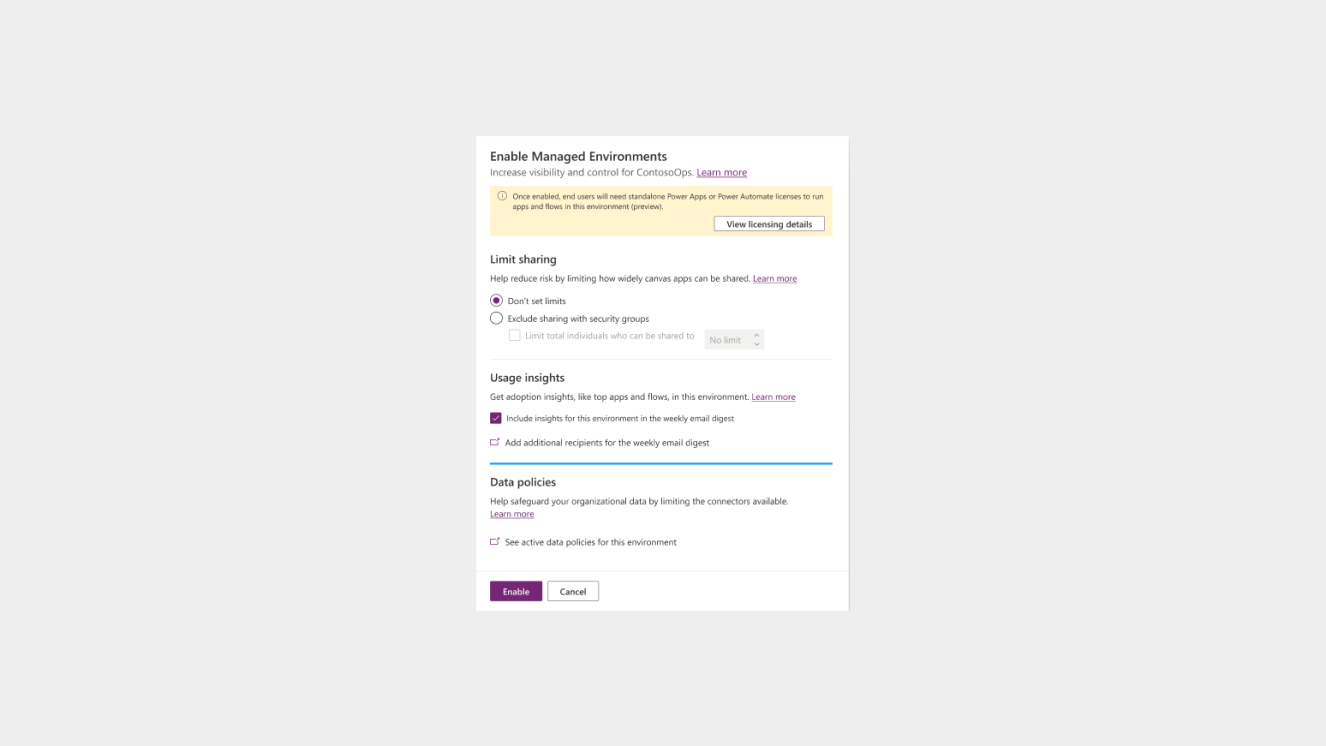
Usage Insights is a feature of Managed Environments that allows admins to stay informed about what’s happening in their low-code solutions with Power Platform’s weekly admin digest. The digest includes analytics about the top apps, the most impactful makers, and inactive resources that can be cleaned up. Admins can enable Usage Insights for a specific Managed Environment in the Power Platform admin center.

Limit Sharing

Limiting Sharing is a feature of Managed Environments that allows admins to control how broadly makers can share canvas apps and cloud flows with other users or groups. Admins can set rules to restrict sharing with security groups or limit the total number of individuals that a canvas app or cloud flow can be shared with. Admins can configure these rules in the Power Platform admin center or use PowerShell to set sharing limits.

Standalone Power Apps

Managed Environments is a feature that is included as an entitlement with standalone Power Apps, Power Automate, Power Virtual Agents, Power Pages, and Dynamics 365 licenses. This means that customers who have these licenses can use Managed Environments to govern their low-code assets without any additional cost. However, Developer Plan and trial licenses have some restrictions when used in Managed Environments.

For More Information Talk To An Expert From ITIS Global

Enable Or Edit Managed Environments

Enabling or editing Managed Environments is a simple process that can be done in the Power Platform admin center. Admins can select any type of environment and choose to enable or edit Managed Environments from the command bar. Then, they can configure the settings such as policies, alerts, and insights, and save their changes. Admins can also disable Managed Environments if they want to revert to the default settings.